Showing posts with label PowerPoint. Show all posts

Monday, December 7, 2015

Snowmen in Kindergarten

As I sort of thought, the weather is......pretty much back to the normal low of 40's and high of mid 60's. Did you think I would say it was snowing? If you did, I bet you've never been here. :)

But it doesn't prevent us from continuing on with the snow theme in the music room. This Kindergarten favorite is one that I actually learned from my son about 6 years ago! Talk about the true oral tradition living on.....he learned it in his preschool class for their winter performance and came home excited to tell it to me. I hadn't actually heard it before and it was just too cute! (Anything from a 4 year-old is though!! Well, almost anything.)


I made this as a picture book (before I got my projector), we act it out, I have made masks (which I sell in my Etsy store), we do it as just the fingerplay.....whatever feels right. I did add one thing that makes it a great vocal practice for Kinder especially.....after each snowman melts, we say "OOOOoooooooo" in a high-low sliding voice and we "melt" down to the ground (or use our hands if we are seated) to reinforce high to low. That gives us a moment to pause and think about how many are left and they are usually very eager to tell you how many the answer. (I always play innocent, though there are some days I truly can't remember which one we left off on......) 

The Powerpoint is animated to melt each snowman if you're not too click-happy and I've checked it a million times.....hopefully everything saved properly.


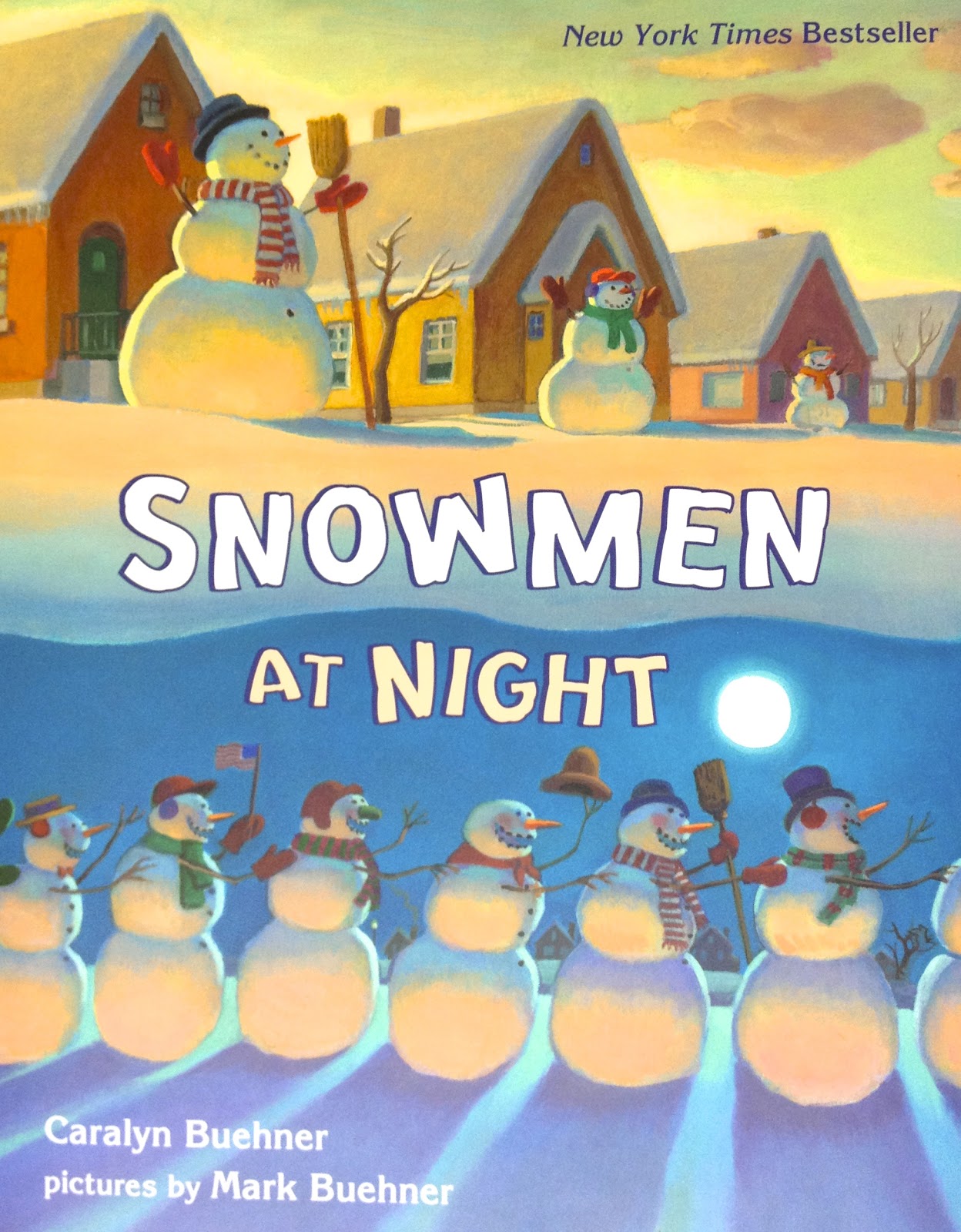
I was hoping to add in one more thing that I shared around this time last year, but the website is changing up. I found the book Snowmen at Night on a great online website called "We Give Books" but it does not seem to the there anymore. So instead, here's a link to it on Amazon and what the cover looks like:


This book is great for movement! These crazy snowmen go on an adventure all over town, sliding and gliding around.....perfect for the kids imitate. It's a delightful story. And I can't leave this post without mentioning Frosty! I love this book version:


What are your favorite snowman activities in the music room? What can you think of for the older grade levels?


Sunday, December 6, 2015

Snail, snail....I mean, Snowflake snowflake!

As you can see, I'm trying to make up for all the blogging that I haven't done over the last few months and I'm on a roll! This is a perfect activity for these winter months and it's a familiar melody to the little ones.

I learned Snowflake, Snowflake a long time ago and I'm trying to remember who taught it to me! I'm going to have to ask a few friends from my Kodály levels if they remember learning this song from one of our teachers or if I learned it from a colleague. I will update if I get some answers. (I did Level I in 2001 where I probably would have learned this song, so my memory is fuzzy. I don't have a master copy either so it must have just been one of those songs learned in a lesson. Maybe someone made it up. Again, I'll have to ask around!)

The lyrics and solfa are on the slides in the activity, but basically, it's the same melody and rhythm as Snail, Snail with these words:


It's simple, but fun and catchy and the kids love this one! We play a movement game of sorts where we float and drift around like lovely, gentle snowflakes....at the end, of course, we freeze! The most frozen snowflake gets to come to the front and choose the next frozen snowflake and then go back into the game. There's no elimination....it's just fun movement and singing. We don't usually sing it very fast....maybe that's because I'm used to soft, gentle snowfall here in Texas. :) Though I will admit, if I feel like a particular class can handle it, we will have a blizzard in the forecast and sing faster for a different tempo practice. Usually the blizzard passes over pretty quickly though.

If you have a projector but not a SmartBoard, this one is especially for you. I chose PowerPoint for this activity because of the animations and action settings that I needed to use....Google Slides just doesn't have the options I needed. I have basically set it up to give an assessment for reading la, so and mi on the staff and it won't advance until they get the answer (out of three options) correct.

So head over to the link below and download it! I put the activity directions and leading questions in the slide notes at the bottom. If you read over those and then press Play to practice it, I think it'll be pretty clear. I don't write all directions directly on my slides because I don't want to just read from the screen. :)

Tuesday, December 9, 2014

Freebies: Vocal warmups

I recently upgraded to the Royale membership for PicMonkey. I normally don't bother with upgrading on sites like that (I'm fairly adept with Photoshop in the first place) but the website is just too easy and the graphics are so cute and just my style. Plus, I can access it at school to make all kinds of graphics and backgrounds for my PPTs and such. The 30-day free trial didn't hurt either!

So I thought I'd pass along something that I made after playing around with this website. My kindergarteners love vocal rollercoasters. They love to play teacher by using my pointers and leading the class to follow wiggly lines on the board that move in high, medium and low curves and loops. It's great practice to get their voices moving. Since it's winter (well, the closest thing to winter we've got here in Texas), I came up with Frosty's Silly Snowballs. Here's some screenshots from the file:


(Speaking of Frosty, I am now using online books on this great website called We Give Books! Frosty the Snowman is available, as well as a cute story called Snowmen At Night. This one is particularly good for movement! I am trying to find the Twitter friend that posted this useful info so I can give her credit, but I can't find her name or the post I favorited at this moment. I'll update it if I can locate it!)

If you'd like some vocal rollercoasters that will work all year long, here's a bird flying in various paths to his tree:


I hope your students enjoy these as much as mine have! 


Tuesday, April 15, 2014

Melodic Stations

I tried out some more stations this morning and I think we're off to a pretty good start! I guess my 2nd graders are my guinea pigs this year for stations since they are (again) the grade level for this lesson.

Since we recently learned re and completed the pentatone of do-re-mi-so-la, I thought some melodic stations were in order. These were much more challenging to plan though, since melody is a lot more difficult to work on independently (if accuracy of pitch and contour is your goal!). I also wanted a variety of activities, of course, that highlighted reading, writing, listening and singing. Here's what I came up with:

Station #1: Step, Skip or Leap?
This was an interactive PowerPoint game that I made for the projector. The group had to work together to determine whether the notes were a step, skip or leap apart. The game told them whether their answers were correct or incorrect and they could try again if they were wrong. Edited to remove PPT....it had tons of mistakes that my 20th group found....hmmmm, makes me think the others weren't quite paying attention?!? Ugh. I will replace it soon once the mistakes are all found.


Station #2: What Does the Fox Box Say?

Okay, okay. Cheesy pun. (Hey, the kids loved it and my station sign!) This is my low-tech station. I recently ordered some Talk Blocks (or music boxes, as I call them) from School Specialty. I took a chance on them and while the sound quality is not great, they get the job done. My son helped me prep this station and we had fun doing it! What I really like about them is that you can insert directions or pictures into the top of them and then record 30 seconds of sound. (There are cheaper ones that have no picture inserts and about 10 seconds of recording time.) I have ten of them so I split them up into two different groups. Five of them were error detection. For example, one was a staff saying "m  r d" but I recorded me singing "d r m" and asked them to explain the difference. The other five were a mixed-up mystery song. I sang "Dinah" into the first one. The other four were me playing the four motives of "Dinah" separately on an instrument. The kids had to put them in order and sing along.

Station #3: Cookie Dough-Re-Mi
Since my new magnetic staves are actually cookie sheets, I came up with the idea of making some notes that look like cookies. I made mine out of little wooden craft circles and printed sticker paper, but you could easily do this by just printing on paper and cutting them out. I stuck magnet tape on the back, made some do clefs, made some solfa sentence strips and they were good to go. (This was something we had already been practicing in class, so writing on the staff was already familiar.)


Station #4: iCan Play Do-Re-Mi
This was the most coveted spot in the room! My coworker has a set of iPads for her classroom and was kind enough to let me borrow a few of them! We used the app Tap and Sing (Storybots) to play some do-re-mi melodies. I just printed out some melody cards and put them on the table, gave them a picture of which robots to tap, and let them practice. This was a bit more practical than using xylophones (which was my back-up plan if the iPads didn't work out) simply because we could plug in headphones and they wouldn't interrupt each other. Plus, the kids are quite motivated by using the technology!


Station #5: The Match Game
In this station, they simply got to work in teams or against each other. They had to turn over one card labeled stem and one labeled staff. If they had the same melody, they kept the match.


As you can tell, again, photography is not my strong suit. I will never understand how all these teacher blogs have such nice pictures! I look like a chicken with my head cut off trying to help kids, keep an eye on equipment (especially borrowed iPads!), making sure Talk Blocks aren't being recorded over, games are played correctly so learning is happening.....pictures obviously are the last thing to happen! :) But these stations went smoothly and we'll continue them for this week and into some of next week due to a (much-needed) holiday this Friday and a state-testing day next week.

What do you do for melodic centers? Leave me a note in the comments!

Friday, February 28, 2014

The best laid plans...

My biggest plan this week was to have 3rd grade rhythmic centers focused on syncopation. While I did get them started, they are off to a rough start due to a sick child at home. My second group will be a day behind so I'll have to extend it a bit more than I had planned. So far, so good though.

I thought maybe I would highlight the technology center that I used for 3rd grade's practice. I did a homemade I Spy PowerPoint and it's not only great for music practice, but it's a great vocabulary and math skill builder. The initial home screen looks like this (but without the watermark of course):


It's not the best picture, but I just took objects from around the house (it helps to have overstuffed toy bins and overflowing craft drawers to select from!) and placed them on a white background. I'm not great with a camera and my professional photographer husband was not available that day, so I had to play around with different places around the house. Luckily, we have some great skylights upstairs and I was able to get some decent natural lighting. After some editing in Photoshop, I got a pretty clear image to use. (If you'd like to use my image, feel free to contact me in the comments and I'd be glad to send you the image without the watermark!)

After inserting the image into my first slide, I prepared several other slides containing my syncopated rhythms. Then I went back to the first slide and I drew a grid of squares on top, using the draw tool. It looked like this when I was done drawing them and making sure the boxes were clear, with no line colors:

After that, it's just a matter of hyperlinking. If you've never hyperlinked before, it's a great tool to make a PowerPoint interactive. In fact, I know PowerPoint gets a bad reputation these days but I find it to be an incredible tool in the classroom.....just not for presentations. I hardly ever use it as such. Anyway, right click on your first box and select "Hyperlink". In the next dialog box, select "Place in this Document" and then "Slide 2" (if that's the slide you want it to go to). Do this to every box, and make sure each box is linked a different slide (Slide 3, Slide 4, Slide 5, etc.).

Here's the trick though....you need a way for the kids to get BACK to the "home" screen after they are done reading their rhythm.  Easiest way....insert a clipart of a house on your first rhythm slide and hyperlink it. Except this time, select "Place in this Document" and "First Slide."  Copy and paste it to every slide except your home screen. If you want to get fancy, insert a text box with the words, "Go home" under the house. :)


Now you have your own interactive game! As far as it being a vocabulary/math game as well, come up with questions like "I spy with my eye....a polygon in a primary color," or "....a vowel,"....or "....one of your five senses," or ...."half of 10."  

3rd Graders spying a form of transportation
(Just a note - when we play in a group, I sing "I spy with my eye" on the solfa that we are concentrating on (drm or low la for example) and they have to echo me before I say the clue, but for the centers, I simply made little cards with a detective on the front.)

Let me know if you have any questions by leaving me a comment!