Showing posts with label technology. Show all posts

Monday, December 7, 2015

Snowmen in Kindergarten

As I sort of thought, the weather is......pretty much back to the normal low of 40's and high of mid 60's. Did you think I would say it was snowing? If you did, I bet you've never been here. :)

But it doesn't prevent us from continuing on with the snow theme in the music room. This Kindergarten favorite is one that I actually learned from my son about 6 years ago! Talk about the true oral tradition living on.....he learned it in his preschool class for their winter performance and came home excited to tell it to me. I hadn't actually heard it before and it was just too cute! (Anything from a 4 year-old is though!! Well, almost anything.)


I made this as a picture book (before I got my projector), we act it out, I have made masks (which I sell in my Etsy store), we do it as just the fingerplay.....whatever feels right. I did add one thing that makes it a great vocal practice for Kinder especially.....after each snowman melts, we say "OOOOoooooooo" in a high-low sliding voice and we "melt" down to the ground (or use our hands if we are seated) to reinforce high to low. That gives us a moment to pause and think about how many are left and they are usually very eager to tell you how many the answer. (I always play innocent, though there are some days I truly can't remember which one we left off on......) 

The Powerpoint is animated to melt each snowman if you're not too click-happy and I've checked it a million times.....hopefully everything saved properly.


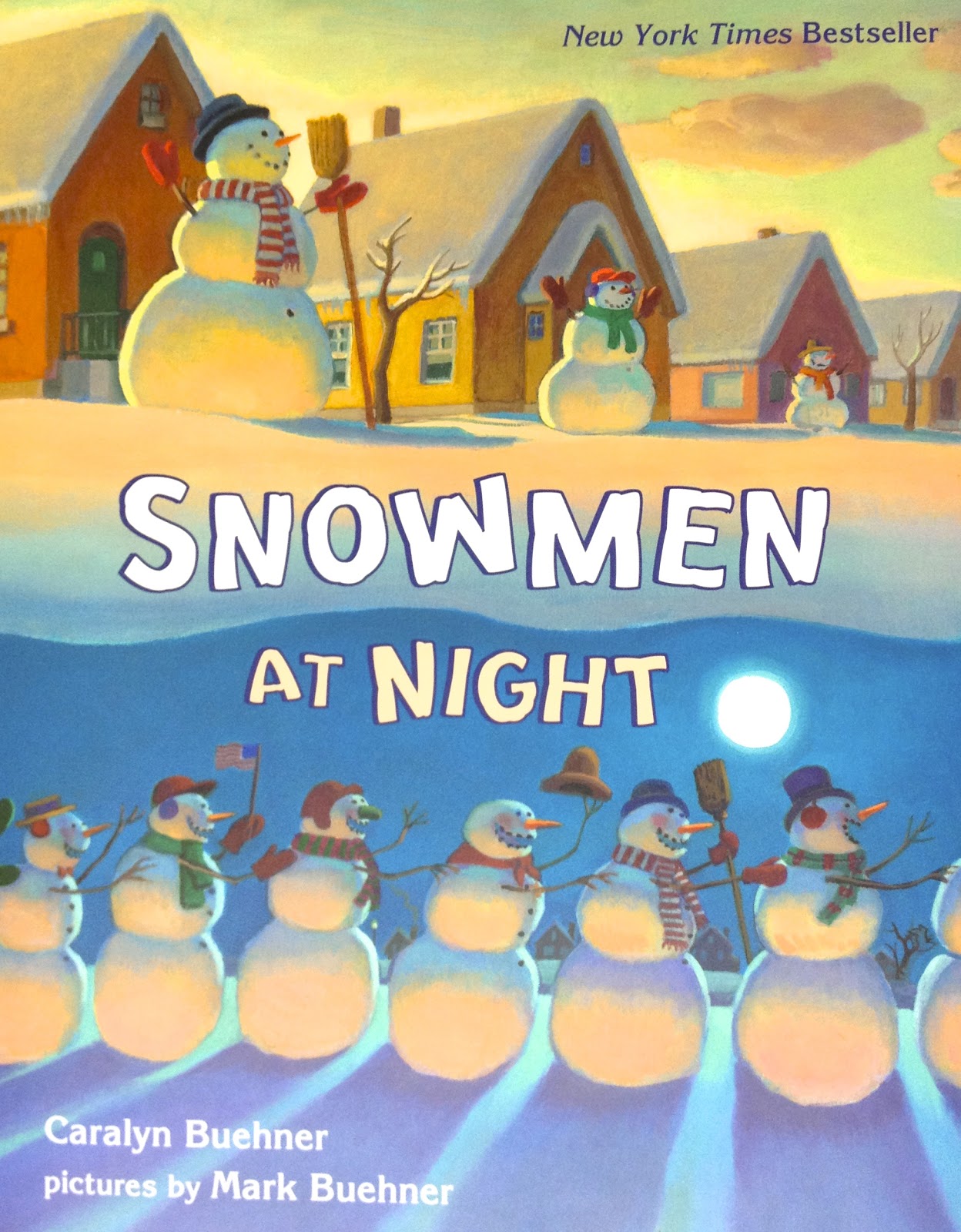
I was hoping to add in one more thing that I shared around this time last year, but the website is changing up. I found the book Snowmen at Night on a great online website called "We Give Books" but it does not seem to the there anymore. So instead, here's a link to it on Amazon and what the cover looks like:


This book is great for movement! These crazy snowmen go on an adventure all over town, sliding and gliding around.....perfect for the kids imitate. It's a delightful story. And I can't leave this post without mentioning Frosty! I love this book version:


What are your favorite snowman activities in the music room? What can you think of for the older grade levels?


Sunday, December 6, 2015

Snail, snail....I mean, Snowflake snowflake!

As you can see, I'm trying to make up for all the blogging that I haven't done over the last few months and I'm on a roll! This is a perfect activity for these winter months and it's a familiar melody to the little ones.

I learned Snowflake, Snowflake a long time ago and I'm trying to remember who taught it to me! I'm going to have to ask a few friends from my Kodály levels if they remember learning this song from one of our teachers or if I learned it from a colleague. I will update if I get some answers. (I did Level I in 2001 where I probably would have learned this song, so my memory is fuzzy. I don't have a master copy either so it must have just been one of those songs learned in a lesson. Maybe someone made it up. Again, I'll have to ask around!)

The lyrics and solfa are on the slides in the activity, but basically, it's the same melody and rhythm as Snail, Snail with these words:


It's simple, but fun and catchy and the kids love this one! We play a movement game of sorts where we float and drift around like lovely, gentle snowflakes....at the end, of course, we freeze! The most frozen snowflake gets to come to the front and choose the next frozen snowflake and then go back into the game. There's no elimination....it's just fun movement and singing. We don't usually sing it very fast....maybe that's because I'm used to soft, gentle snowfall here in Texas. :) Though I will admit, if I feel like a particular class can handle it, we will have a blizzard in the forecast and sing faster for a different tempo practice. Usually the blizzard passes over pretty quickly though.

If you have a projector but not a SmartBoard, this one is especially for you. I chose PowerPoint for this activity because of the animations and action settings that I needed to use....Google Slides just doesn't have the options I needed. I have basically set it up to give an assessment for reading la, so and mi on the staff and it won't advance until they get the answer (out of three options) correct.

So head over to the link below and download it! I put the activity directions and leading questions in the slide notes at the bottom. If you read over those and then press Play to practice it, I think it'll be pretty clear. I don't write all directions directly on my slides because I don't want to just read from the screen. :)

Saturday, December 5, 2015

Unsplash!

Have you heard of Unsplash? If you haven't.....you're welcome! :) Seriously though, it's a great collection of beautiful, high-resolution photographs. As the front page says, they are FREE to do whatever you want. You really don't find those words on a website very often, if ever!

I love this website so much because kids need real-life experiences and real-life references as much as possible. For example, have you noticed how many train songs we sing? I realized a few years ago that the only train that a lot of my kindergarteners knew about was Thomas the Tank engine or the Little Engine that Could! Cartoon trains that talk! I always had to pull up a video of a real train well before before playing The Little Train of the Caipira as a listening example. Otherwise, they had no idea what they were supposed to be hearing. Some of the toys and cartoons out there do a good job with using the real sound effects, but there's nothing like seeing a real train and hearing the sounds it makes all at the same time.

I like to use real photographs whenever possible for this very reason. While browsing Unsplash today, I finally completed a project I've wanted to do for awhile! This picture inspired me:


I know it won't make sense, but the project is for Rocky Mountain....

Click here for a link to a set of Google slides with the lyrics and some staff work for the refrain. Feel free to copy the link to your Google Drive and leave me some comments about it!

The whole song is great for preparing/practicing the pentatone and half note. So we work on the beat, the rhythm, the solfa, anything and everything.....seriously, this song is always a hit.

By the time we are really getting into this song, the students are also talking about landforms in their classrooms. They get so excited that they can tell me what a mountain, valley and ocean is in formal terms! A retired friend of mine (and brilliant teacher!), Caroline, taught me some really fun movements and an additional verse:

Tiny island, tiny island, tiny island small
When you're on that tiny island, there's no shopping mall.

Does that picture make sense now? I usually confess that I'm pretty sure the island verse doesn't belong to the original folk song.....and that we should write some more. With older kids, you could even have them type their verse into their own Google Slide and collaborate together. And with a search function on Unsplash, you might even help them find a picture to add in to the verse. (I wouldn't necessarily suggest letting the kids go through the website themselves; I don't think there is anything wildly inappropriate but there are some swimsuit pictures, etc. that might not be the most appropriate for grade school.) They have always come up with some really creative verses! They really get into it.

By the way, let me know what you find on Unsplash!

Wednesday, December 2, 2015

Anchor Chart Freebie

With larger-scale printing getting cheaper and cheaper, nice anchor charts are all the rage on Pinterest it seems! Sure, you could do the old-fashioned, authentic "write and draw your own on a flipchart" but for those of us who despise our own handwriting, this is a daunting task. I don't mind jotting notes on the classroom board, but if it's going to go on my wall long-term and it's in my handwriting, it's going to be typed up and printed out nicely!

I spent a lot time of gathering, admiring and borrowing ideas from here and there and finally put a few together in my own personal styles. My first priority was a chart comparing beat and rhythm. For some reason, this has always been tricky. These words seem to be blend together in a lot of kids' brains after a while. Unless the student has a solid memory for the definitions, they seem to always be looking around for the answer or how exactly to explain it.

So my version is below.

If you'd like to download it and print it out yourself, click here. (For personal use only, please!) This one is formatted for 11x17 printing at Staples for under $2 if I remember correctly.

Enjoy!

Thursday, April 23, 2015

Connecting....Part II

This post is a thank-you to Mrs. Graham and her kindergarten class in SE Minnesota. They invited me into their classroom for a moment today to share one of my favorite song stories, Down By the Station. How fun is that? And I didn't have to spend a dime on airfare!

Kory is a fabulous kindergarten teacher that I recently followed on Twitter. I can remember my coworker mentioning that she read for her class earlier this year so when Kory put out a request for more guest readers, I thought it sounded like a great opportunity! She calls her group #Korytellers. (I'm so jealous she has a cool name that lends itself to a catchy hashtag!) I've been wanting to do a class Google Hangout or Skype or some kind of video-conference all year, but it gets a bit tricky arranging those. I have five groups per grade level so finding and arranging five equal hangouts for each class is not so easy. So I jumped on the chance to at least experience being a guest on the other end of things.

So sweet! I'm mentioned on the agenda!
My second graders had a field trip today which left me with an open class period. We set it up and I'll admit that I was actually nervous to be on camera. But as soon as I saw those sweet little faces, it was just like being in front of my own kids! They were so adorable and ready to listen! They had wonderful manners and you could tell they were delighted to have new guests in their classroom every chance they got. I love how Kory uses technology to reach out globally and invite others to join her and her students on their educational journey. Reading a story in a kindergarten class is nothing new....but using technology to bring in exciting and diverse guests from around the world? That's what tech integration and connection is all about. Bravo, Kory! You and your #Korytellers are my heroes on Hero Day! Thank you again for letting me be a part of your day.

Friday, April 17, 2015

Connecting through Technology

I've been thinking a lot about how technology fits into the music room, especially a Kodály classroom. There is such a rich history and tradition to the Kodály curriculum and bringing in iPads and computers doesn't automatically seem to fit into that ideal. I'm always careful to point out that my classroom is not a totally digital world...in fact, there are times when I'm teaching and it occurs to me that maybe I'm misrepresenting my claims of tech integration in the classroom because most of the time we are still "unplugged." You still find us playing a fun round of Lucy Locket with a cloth purse or Apple Tree with a wax apple from Hobby Lobby. I feel very strongly that these activities belong in a Kodály classroom and I don't see myself giving them up anytime soon.

However, I use technology in a lot of places during my day (and night) as a teacher to help strengthen my teaching in whatever way possible. Sometimes it's behind the scenes for lesson planning or file organization. (I'm not a naturally organized person, so THANK YOU, TECHNOLOGY!) I use my class iPad to make playlists for the day's listening selections....goodbye, CDs! (If you're a music teacher still messing with CDs, please ask your PTA or principal or someone in your community to help buy you an iPod or iPad of some sort!! You deserve it!) I also love having an iPad handy for those times when my kids have asked, "Ms. Parrish, what does a weevil look like?" I've just grabbed my iPad to do an image search. (This is much safer than doing one on the computer while the image is projected on the screen! And if you do this, just be sure to put your screen on blank first.) Or when that one student isn't matching pitch and they just don't hear it? I use the iPad or my iPhone in my pocket and do a quick voice record to play back to them.

As far as more planned integration, it is difficult to do as much as I want because there is so little time. There has to be balance between the "old" and the new. However, one thing I've learned from technology is that, if nothing else, it allows us to form connections. In the past, I've tried our district website to try to connect with students at home but it just hasn't been very successful. This year, I opened a class Twitter to share our thoughts and successes, but I also connected with the students on Edmodo.

I know to many of you, this will not be a big deal at all. To me, it's everything. It just is.

You see, by 5th grade, many of my students start becoming very social and music class at school isn't always a priority for all....they get busy with homework, sports and other activities. Communicating with your music teacher after school doesn't exactly sound like something most kids would do, right? Not necessarily. Technology made this happen this year. And many actually want to do this. I actually feel bad about not keeping up with some of their conversations on Edmodo! We chatted over the snow days, over the winter break a bit and over weekends. I posted videos for fun, I posted their work from class....we've discussed our favorite music and singers. I fell behind and they would actually ask me where I went!

In class recently, I assigned them to improvise variations á la Mozart after hearing his 12 variations on "Ah Vous Dirai-je Maman" or basically, "Twinkle Twinkle Little Star." This was being done on xylophones in class. I posted the theme on Edmodo and recommended a virtual xylophone website and app just in case they wanted to practice and play around at home. I figured some might look at my post and play the theme once or twice, but I didn't expect to get these:


Both students took their own personal time at home to practice a variation and set up their device to record it. They uploaded it to Edmodo and shared it with me and the rest of their classmates. I was floored. I have never had this type of connection with my students before! I simply can't imagine how this would have happened in the past before devices were so readily available. I'm incredibly proud of the time they took to show their creative side and I appreciate that technology could help bring it to my attention.

So you might not be ready to bring devices into your music classroom or you might not think there is time in the curriculum. Maybe you're not sure how to integrate them. After all, we are given so little time to begin with.

But just keep in mind that using technology in the music classroom is not just about apps and tapping screens. It's about sharing, creating, collaborating and connecting. I always think of the graphic to the right.

They have these devices already. Use them to your advantage and make a positive connection with them. Allow them (maybe even challenge them!) to create and find inspiration and capture those moments with their devices or with your devices (if you have them). They have so much to share and our short class time is just not enough!!


Tuesday, January 6, 2015

String Family Tech Hunt

My students are headed to the symphony after Spring Break so we are focusing in on the four families of the orchestra. We have covered facts and characteristics here and there over the years, but I definitely want to do a little more in-depth study before we get on that bus!

I'm very excited to integrate more technology into this year's orchestra study. To just tiptoe into the string family, I used a recording of a string piece with something familiar (the voice), yet a bit deceiving (the voice). I know....that sounds a bit strange, but if you know the piece, you'll know what I mean. I chose Bobby McFerrin and Yo-Yo Ma's recording of J.S. Bach's Musette.

I love this recording because the cello is just beautiful and it's just a fun, playful short piece. The vocals can be a bit distracting (whose voice is that anyway?! they all ask), but I do ask the kids ahead of time to be sure to listen carefully to all the sounds because there will be quiz about what they heard.

This takes us into a Plickers quiz. If you've never used Plickers, download those little code cards and print them now (or splurge on a set from Amazon.com like I did!). It is such a great app! All you need is one device and you can give quizzes with immediate feedback and recorded answers! (Here's the actual quiz that I gave, if you're interested in seeing or using it.)

Once that Plickers quiz was done (which I assured them was just a "see what we know" type deal; not a major test grade! though I do look forward to comparing their knowledge after we study our instruments a lot more in-depth), we split up into groups to start our tech hunt. Each group received a clipboard with their scavenger list of questions and a device. I had several QR codes taped up around the room, plus three permanent stations set up. The QRs were repeated just in case the groups were crowding around a certain one. The list is as follows:

  • QR leading to information about pizzicato technique (text only)
  • QR leading to a Thinglink about string quartets
  • QR leading to a string instrument labeled with Skitch (major parts labeled)
  • QR leading to information about how many strings in a harp (text only)
  • QR leading to information about bows and the type of hair used to make them
  • my personal Macbook in guest mode (yes, I'm brave!) with Artopia.com set up to listen and compare the four main instruments of the string family; they can do the matching game as well (if time)
  • iPad mini with MSOLearn app to view interactive orchestra seating chart information
  • teacher computer set up with a headphone splitter set to this YouTube video so one group at a time can view a short video about the string family which also introduces the harp

Edited to include Google Doc with QR codes <here>. I added labels to show which QR was which, but I don't have labels for the kids....that way it is a surprise when they open the QR, of course!

I wish I had some pictures of the kids working on their hunt....but every device I have was being used! These days I don't have a separate camera that I keep handy in my classroom.

In case you're wondering, I don't have a class set of iPads! (I wish!) I borrowed a couple from the 4th grade teachers (since they are planning, they aren't using them for teaching), used my class iPad and used a couple of my own personal devices. Unfortunately, that meant that the groups had to be slightly larger than I would have liked (4-5) but it worked out fine. The kids worked well together overall. The tech hunt will continue for 1-1.5 more lessons or so until they get the questions answered.

After this, we'll certainly explore some more string repertoire....what are your favorite recordings? Any great suggestions? Leave me a comment!! Also, any other suggestions or ideas to incorporate some more technology in my tech hunt? I'd love some feedback!

Thursday, November 13, 2014

adventures in BYOD

I have been wanting to try some BYOD lessons in 4th and 5th grade this year and I finally got myself organized enough to start with 5th grade!

I believe very strongly in building, teaching and enforcing digital citizenship so it was important to me to pass out student contracts for my kids and their parents to sign. The one I used came from Forney ISD (used and changed with their permission). I will honestly say that I haven't had much luck getting all the copies back, but I'm being tough with my students. No contract, no device use. Period. The first group today discovered how fun the activity was and that we'll be continuing next week.....suddenly I have a lot of promises for more returned papers! :)

So here's what we did! Fifth grade has been practicing reading, writing, and dictating dotted quarter/eighth note combinations, so I thought I'd use the beautiful theme from the Largo movement of Dvorak's New World Symphony. It is one of my favorite pieces of music and it also connects with fifth grade's immigration lessons. Of course, there are several ways to write and interpret the rhythm of the theme, but I used dotted quarter in 4/4 time.

I asked my kids to read the theme's rhythm for practice. I explained that it came from the New World Symphony and asked what is meant by the "New World." After talking about this very briefly and why and when Dvorak wrote the piece, I started the music and asked them to quietly get out their devices. I gave them a web address on the projector leading them to a discussion via Answer Garden.

If you've never used Answer Garden, it's a great, easy way to get short answers. It's also an easy way to share if you only have a device to two. Ask a question and get answers that end up as a word cloud on your screen. You can set it up so that students can answer more than once. In this case, I asked the kids, "If you were heading to the New World, how would you feel?" I got answers such as :

scared ~ anxious ~ excited ~ nervous ~ happy ~ in awe ~ thankful ~ scared ~ proud ~ curious ~ amazed 

It was great to get their answers quietly through their devices while listening to Dvorak's hopeful theme instead of having to wait until the end to discuss. 

After ending that portion of the lesson, we went on to something else that we had practiced in a previous lesson. We had already learned the folk song Whistle Daughter Whistle. We talked about changing the lyrics as such:

Whistle daughter whistle, and you shall have a cow.
I can't whistle mother, because I don't know how.

to

Whistle daughter whistle, and you shall have a                         .
I can't whistle mother, because                                                  .

We did a practice verse or two last week where I filled in the first blank with a different animal and they had to fill in the second blank. However, in today's BYOD lesson, I gave them a link to a Padlet and they were free to fill in both blanks. They could choose another animal (like the original song) or an object....it was up to them as long as their text was appropriate. I left one more example of my own on the Padlet wall so they'd know what was expected. I should also point out that I only had a few kids with access to devices (due to turning in paperwork) so they worked in groups. Everyone contributed, but only certain students were able to handle the devices. I would normally have them work in small groups for the lesson anyway though.

As soon as they all found the Padlet website, I switched the projector over to it so they could see their answers pop up. All their answers came up in real time. I could see their faces light up as their peers reviewed their answers and smiled or laughed in approval. (Most of them tried to be as funny or clever as possible!) They ended up singing other group answers as they worked. They laughed, sang, smiled, and did I mention they actually worked? Without complaining? :) I'm going to give them a bit more time to edit their verses next week and I'm looking forward to posting their finished work on EdModo next week so they can show their parents at home.

I would say that our first BYOD lesson was a success. :)

What are some of your favorite BYOD activities in the music room?

Friday, October 3, 2014

GoPro fun!

This post is a bit awkward because I can't actually post my proof....but I promise it's all good!!

I recently purchased a GoPro camera. If you've never heard of it, click on the website link in the name and check out their videos. Mine are nothing compared to that, but I'm still having lots of fun with it in my own way!

Basically, it's a very small video camera meant for stunts, action shots or on-the-go video. I even have a water-proof case for it. (You know, for the next time I teach underwater folk dancing?) What I like best is that you can attach it to a hands-free strap or mount and you're good to go. So that's just what I did this week. I buckled it onto a student and we started up a round of a Liza Jane. We did a dance version that I learned from a coworker. The result was a first-person view of what we do in the music classroom! The kids had a blast - and yes, they were a bit goofy and some waved at the camera - but they tried their absolute best so they could watch themselves later.

Like I said, I can't post my proof right now, simply because some of my students do not have waivers signed to be posted on the internet, but you'll have to take my word that the video is really awesome and really valuable feedback for me and the kids. I can't wait to show it to them! (In case you're wondering, it is very easy to download from the camera and keep on the computer. In my case, I did put it on Vimeo, but it is currently set to private and password-protected for my use only.)

I'm trying to think of other uses for it. I think a passing game would be great to capture on it. A friend on Twitter suggested recording a program or concert, which is a great idea. I never get good video of those since I'm always busy directing!

Which other folk dances would have an especially good point of view? I really want to try Great Big House! Leave me a comment!


Friday, September 19, 2014

Augmented Reality

So I've always felt like I live in a bit of augmented reality, but I should be clear that today's blog post is actually about the technology kind.....

At tech training this summer, I went to a session covering augmented reality or AR as it is sometimes known. All I can say is WOW. This stuff blew my mind. There are several AR apps to choose from - some free, some not. There are some kits to buy as well, such as Osmo....I like that one a lot! It is so much fun! As great as they are for the general classroom, they aren't quite as applicable in the music room. (Unless you have tons of free time to really, really use some creative license in your curriculum...I don't have that much wiggle room in the schedule!)

This week, I found a pretty good use for one called ColAR Mix. I had to miss a day this week and needed a fail-proof sub plan for a non-musical sub. I thought a musical story book and a quick AR coloring sheet to go along with the book would be perfect. I don't normally do this kind of lesson, but I thought it would be a perfect way to introduce the kids (and parents) to some new technology! ColAR Mix's website provides a handful of free worksheets to go along with basic app and provides the directions already at the bottom of the worksheet. So when the kids took their worksheet home at the end of the day, the parents could follow the directions to get the app themselves. (I told them if they don't have a device at home, they can bring it back and I'll show them what it does.)

So I chose the book "De Paseo por la Selva" with CD included so the sub didn't have to sing it. It is full of great animal sounds, which is wonderful for vocal explorations. Not to mention it has a woman's solo voice, a man's solo voice and then a chorus of voices. This is perfect for differentiating between various voices and timbres. Cross-curriculur-wise (is that a word?!), the main character travels to the jungle, the desert, the mountain, the ocean, the river, and more. All of this is in Spanish, but even my non-Spanish speakers could figure out the basics of the story by following the pictures and animal sounds. The song is very catchy as well!

I then paired it with the tropical bird coloring sheet from ColAR. I left directions for the sub to ask them to imagine that the main character had met this bird on her travels. What color is it? What sound would it make? Does it have a song that it sings? Once it was colored, they could take it home, follow the directions at the bottom, and bring it to life.

When I returned to school, I felt a bit bad that some kids got to do this cool lesson and the others didn't....so I continued it today! I'm so glad I did too because they really had a great time. And it was so fun to hear them give voices to their birds. I also got to see their reactions to the AR in person. I was able to activate their birds in class rather than just sending the coloring sheets home. Take a look:


This is not the greatest video; I had my iPad in one hand, and getting this video on my iPhone with the other hand. Multitasking at its best. Sort of. :) If you're careful, you can even put your hand in front of the camera and make it look like the bird is sitting on your finger. The kids just went crazy for that!

So give some AR a try if you have a chance! Even if you're just exploring it for yourself or your children at home for fun, these apps are unbelievable

Sunday, August 17, 2014

Can you keep a secret?

That's okay, neither can I right now!

I'm so excited about tomorrow! I'm going to be presenting during the Genius Hour portion of our professional development at our school. I'm so honored to be presenting to my peers and to ensure a good "review" of sorts, I'm totally bribing them with door prizes! Ha!!! :) Just kidding!! Well, not really....I do have door prizes and that's the secret!

My presentation is about BYOD classrooms, which I've never actually had myself. But I'm going to be attempting it this year. I say attempting because there will be some obstacles to navigate, but that's a whole different story. Either way, that doesn't mean the classroom teachers of my school can't learn about it! I'm using Nearpod to give my presentation (with a little bit of Lino thrown in too). If you've never tried Nearpod, check it out now. It's a really amazing program!! Anyway, since a major part of BYOD is teaching and modeling digital citizenship, I was inspired by a pin that I found on Pinterest and I made this:


I changed the word speak to comment mostly because I wanted it to apply to digital citizenship and in-person interactions. (I have also seen this sign with, "before you Facebook - Twitter - Instagram - etc.....") After all, a major part of music education is commenting on what we hear. Let's face it, kids don't always think before speaking their mind on someone else's performance. That is something we have to work on a lot throughout elementary school.

My little sign turned out so well that I decided to make two more (in slightly different colors)....one for each session that I'll have in the morning. I found an online name randomizer ready to choose my winner. 

(In case you're wondering how the sign was made, it's a canvas that I painted with black paint. The colored letters were cut out out of cardstock using my Silhouette Cameo and the white letters are made with adhesive vinyl, also cut with the Cameo. I mod-podged the cardstock letters onto the canvas.)

By the way, are you a BYOD music classroom? If so, leave me a comment! I will definitely be posting more on that later!

Tuesday, August 5, 2014

Scared to jump in?

My son is 9 years old and just got his first actual iPhone. I didn't buy it for him, but in this day and age, I'll admit that he's perfectly "old" enough for it. He is thoroughly proud and protective of it...and has made sure to point out that it's better than mine. Nice one, kid. :)

This started a fun conversation in the car though. I told him that I was pretty excited about this upcoming year in school. Our school principal is really onboard with integrating devices (appropriately!) in class and I'm really thinking ahead about how to do that even in music. Not only am I thrilled that he'll be prepared with his device, but I've already laid claim to his old iPod touch to use as another device in my music room. Hooray!

That's not the interesting conversation though. We talked about technology and people and teachers who are likely to embrace it. I told him that I just knew his teachers on his upcoming grade level team would be excited about using technology (um, sorry....no pressure!) but not everyone in every school feels like this. Some are hesitant because they just didn't grow up with technology like his generation obviously has. We talked about typewriters, early computers and I even described the fascinating machine my grandparents used to communicate with my hearing-impaired aunt over the phone in the 1980's. Technology has changed so quickly that it's impossible to keep up even for those who have an interest. For those who don't have a particular interest?....I can't even imagine!!

I am lucky that I grew up in a "plugged-in" home. In fact, I have never known a home without a computer. (And I grew up through the 80's before PC's were really popular in middle-class homes.) My dad is a techie. We had a Radio Shack TRS-80 (I think?) as early as I can remember.  
Radio Shack TRS-80

Funny story....my dad subscribed to some sort of programmer's magazine and I can remember one that arrived in the mail. He asked if I wanted to program the computer. He sounded really excited about it and convinced me to type in a couple lines. I was pretty young and barely knew my letters (much less the arrangement of the QWERTY keyboard!) so it took awhile....I thought for sure something magical would happen when I was done! When I was finally finished, he ran the program and I thought it would talk to me or play a game of Pong with me.....ha ha, nope. It went "BEEEEEEEEEEEEEEEP." Now, the nostalgic techie nerd in me would like to say that I was filled with wonder and awe, but.....but.....I felt a bit ripped off. But hey, our memories can't all be winners.

I've gotten off track. Needless to say, I was inspired by my dad....and later my mom.....and my brothers (all tech nerds in some way or another).....to pursue my interests in the tech world somehow. Not because I have to, but because I want to! 

I realize not everyone likes or understands this stuff, and that's okay. But the greatest thing about modern technology is that you don't have to be an expert. In fact, there is no such thing. I love the blog entry linked in that last statement....read it and be assured by Angela Watson's words! Stamp "life-long tech learner" on your forehead and dip your toes in. It's okay to try and fail. In fact, that's how I learn about 80-85% of my tech skills....no joke! User manuals and help menus are my last resorts. (Should I admit that?) I click buttons and I explore menus....if I don't find what I need, I Google my exact question and usually come up with the answers I need. 

If you're having trouble integrating technology into your lessons, set some small goals. Practice your lesson with a teammate or with a family member at home. It doesn't have to be complicated to be great!! Ask around and have an open mind. You're not alone and there's someone (like me!) in your school or community willing to share resources or skills to get you started.

Please share your personal fears and/or victories about integrating technology in the classroom by leaving me a comment!

Wednesday, July 30, 2014

ETSI


I had the honor of being selected to attend my district's first Educational Technology Summer Institute and it sounds cheesy, but….my life will never be the same! :) I know, I'm being a bit dramatic, but really, my mind was blown by the innovation, collaboration and pure energy of being surrounded by all the best edtech leaders in my district. I have to give a major shout-out to my principal for giving me this opportunity and to the tech team for accepting my application. We spent three days diving into augmented reality, mystery Skyping, virtual field trips, 3D printing examples, BYOD, digital citizenship, Twitter, flipped classrooms, and much much more. I was even able to lead a class in our Mini EdCamp morning! Yikes, I was so nervous thinking no one would show up or find any value in it but I think they did? :)

This experience was perfect timing for the new school year. Let's face it…sometimes we get comfy on the couch, catching up on our favorite TV shows on Netflix, visiting the pool with our children (guilty of all three!!) and we start to think that we could get used to that kind of life. :) Sure, I love my students and I love teaching music but I'm not going to lie….my couch is pretty nice after all. :) 

However, this training was just what I needed to get me back into the swing of things this year! My focus is back with a vengeance and not only that…..but I'm armed with new techie ideas, apps, websites, tricks and gadgets!  Better yet, I'm even more inspired and determined to share with my coworkers and anyone willing to listen. In fact, if you follow me on Twitter (@KellyParrish605), you have probably seen all my crazy comments followed by #pisdetsi. Follow that entire hashtag and you'll find some amazing insight to the last three days of our crazy adventure!

So in the next couple of weeks before school, I will be working on adding to my Websites and Apps pages  to share all those great resources we talked about and I will share some more specific music ideas as well! Check back with those soon!

By the way, if this is what an EdCamp is like, I have to (obviously) recommend it!! I hope to go to the next one in my area whenever it may be!!


Tuesday, May 20, 2014

I'm a believer

Even though I was a die-hard Monkees fan as a kid (and still am), this post has nothing to do with the song of the same title. Sorry.

Instead, let's talk Twitter.

I'll admit, as tech-obsessed as I am, I never really jumped on the social-media bandwagon. I'm a bit introverted in real life, so I guess I follow suit in the cyber world as well. I did not join (and subsequently quit) MySpace. I'm not on Instagram. I read Tumblr for the funny stuff once in awhile, but I don't have an account. I'm not even on Facebook. No, really! I always joke that I work very hard to avoid certain family members in real life....why would I want them to find me easily on the internet? :) I did chat on AOL back in the day and I used ICQ in my college years. But then networking got crazy and I stepped back from instant messaging. Email was about all I used to communicate to others.

Fast-forward a bit and I guess you could say that I definitely had some misconceptions about Twitter in particular. I will admit that I thought it was only used by people to report what they were having for breakfast or what their cat was doing. I had no idea educators posted useful ideas, lesson plans, thoughts and support. I didn't know that I could find music teachers going through the same ups and downs that I experience in a day. Even though I have a great support network here in my own district, it's been amazing to meet people all over the country that share my passion to teach music to children. I meet (or try to meet) weekly to chat with them through #musedchat and I recently joined Dave Burgess's Teach Like a Pirate chat or #tlap chat.

I was introduced to Twitter by my principal. She brought in a great presenter who works in our district and I jumped in. When I got there, I was a bit confused with the @'s, #'s, the RT's....I'll admit, it has it's own little language and lingo. And don't even get me started with keeping it down to 140 characters! But it's worth stepping out of your comfort zone to grow as a professional. It took a couple weeks to get used to the whole thing and I still mess up and forget the hashtags...oh well, who cares? I still get to read some amazing stuff and connect with some fun, smart people! So to all of you who peek in and get confused by these things, keep going....push through and try again. Ask questions. It's worth it! Even I, the self-titled Anti-Social-Media Queen, am not completely anti- now. Yes. I'm a believer.

But I'm still not going to join Facebook. And you can't make me. Take that Zuckerberg. :)

Tuesday, April 15, 2014

Melodic Stations

I tried out some more stations this morning and I think we're off to a pretty good start! I guess my 2nd graders are my guinea pigs this year for stations since they are (again) the grade level for this lesson.

Since we recently learned re and completed the pentatone of do-re-mi-so-la, I thought some melodic stations were in order. These were much more challenging to plan though, since melody is a lot more difficult to work on independently (if accuracy of pitch and contour is your goal!). I also wanted a variety of activities, of course, that highlighted reading, writing, listening and singing. Here's what I came up with:

Station #1: Step, Skip or Leap?
This was an interactive PowerPoint game that I made for the projector. The group had to work together to determine whether the notes were a step, skip or leap apart. The game told them whether their answers were correct or incorrect and they could try again if they were wrong. Edited to remove PPT....it had tons of mistakes that my 20th group found....hmmmm, makes me think the others weren't quite paying attention?!? Ugh. I will replace it soon once the mistakes are all found.


Station #2: What Does the Fox Box Say?

Okay, okay. Cheesy pun. (Hey, the kids loved it and my station sign!) This is my low-tech station. I recently ordered some Talk Blocks (or music boxes, as I call them) from School Specialty. I took a chance on them and while the sound quality is not great, they get the job done. My son helped me prep this station and we had fun doing it! What I really like about them is that you can insert directions or pictures into the top of them and then record 30 seconds of sound. (There are cheaper ones that have no picture inserts and about 10 seconds of recording time.) I have ten of them so I split them up into two different groups. Five of them were error detection. For example, one was a staff saying "m  r d" but I recorded me singing "d r m" and asked them to explain the difference. The other five were a mixed-up mystery song. I sang "Dinah" into the first one. The other four were me playing the four motives of "Dinah" separately on an instrument. The kids had to put them in order and sing along.

Station #3: Cookie Dough-Re-Mi
Since my new magnetic staves are actually cookie sheets, I came up with the idea of making some notes that look like cookies. I made mine out of little wooden craft circles and printed sticker paper, but you could easily do this by just printing on paper and cutting them out. I stuck magnet tape on the back, made some do clefs, made some solfa sentence strips and they were good to go. (This was something we had already been practicing in class, so writing on the staff was already familiar.)


Station #4: iCan Play Do-Re-Mi
This was the most coveted spot in the room! My coworker has a set of iPads for her classroom and was kind enough to let me borrow a few of them! We used the app Tap and Sing (Storybots) to play some do-re-mi melodies. I just printed out some melody cards and put them on the table, gave them a picture of which robots to tap, and let them practice. This was a bit more practical than using xylophones (which was my back-up plan if the iPads didn't work out) simply because we could plug in headphones and they wouldn't interrupt each other. Plus, the kids are quite motivated by using the technology!


Station #5: The Match Game
In this station, they simply got to work in teams or against each other. They had to turn over one card labeled stem and one labeled staff. If they had the same melody, they kept the match.


As you can tell, again, photography is not my strong suit. I will never understand how all these teacher blogs have such nice pictures! I look like a chicken with my head cut off trying to help kids, keep an eye on equipment (especially borrowed iPads!), making sure Talk Blocks aren't being recorded over, games are played correctly so learning is happening.....pictures obviously are the last thing to happen! :) But these stations went smoothly and we'll continue them for this week and into some of next week due to a (much-needed) holiday this Friday and a state-testing day next week.

What do you do for melodic centers? Leave me a note in the comments!

Monday, March 24, 2014

An ode to Google

I have to get it out of my system and shout it from the rooftop....


Small update: If you visited earlier, that was just some boring text. I changed it because it just didn't express my love enough. And yes, I made that graphic with Google. :) Anyway....

I love Gmail. I love YouTube. I love Google Drive. I love Google Docs. I love Google Spreadsheets. I love Blogger. I love Chrome. I love Google Earth. (One time I spent 35 minutes using Google Earth to locate an old Pizza Hut in my hometown just to see if it was still a Pizza Hut because I wanted to possibly submit it to this blog. Ummm, don't ask.) I love Google Forms. I love Google Drawings. I love the fonts that Google provides because I am so bored with the basic fonts on my school computer. I love Google News. I especially love Google Doodles like this one and this one!!

Basically, I love ALL THINGS GOOGLE!!**

I use Google in and out of the classroom. For Open House a couple weeks ago, I created a Google folder on my professional Google Drive and adjusted the shared settings so anyone could view it. I made three documents in the folder: one was a greeting to parents thanking them for visiting me in the music room on the evening of Open House. The second was a list of educational (and fun!) websites that parents could visit along with their kids over Spring Break to learn about and create music. The third document was a list of music-themed iPad/iPhone apps that parents could download and enjoy with their kids. I turned the link to this folder into a QR code, printed it out and put it on my board for parents to scan as they visited. (I also had printouts in case they didn't have a QR scanner already on their phone.) 

On that same Open House, I had a second QR code to scan: a YouTube Playlist of videos to enjoy over Spring Break. 

(You could also shorten the URL if you wanted to just send out plain text....you could include this or the QR code in your grade level's newsletter, etc.!)

Out of the classroom, I often use Google Docs to save time....or try to save time. If I need to gather information from coworkers for whatever reason, I will send out a Google Doc. Here's the issue: I often get several emails saying that they can't access it. Yes, I could open my share settings so that anyone could access it, but oftentimes, there might be sensitive information such as student names, ID numbers, etc. Is it likely that someone will find that doc without the link? No, but that doesn't mean you shouldn't know how to access a Google Doc. My advice to anyone opening a Google Doc: always check to make sure you are logged in correctly! In my district, you must use your district log-in name. Many people have a personal plus a professional account. I find that is the #1 reason people fail to access Google Docs successfully. Double-check your log-in before emailing the sender! Google Docs are supposed to make life easier and cut down on emails. And if you're the one sending the Google Doc, always check your share settings to make sure others can edit or access before sending it. That cuts down on a lot of headaches as well.

Here are a few links that might help you get started:

Google in Education
40 Ways to Start Using Google Apps in the Class
Tips Every Teacher Should Know About Google Docs in Education
5 Ways to Use Google Docs in the Classroom
The 10 Best Google Doc Tips for Teachers as They Go Back to School
50 Little-Known Ways Google Docs Can Help in Education
20 Google Doc Secrets for Busy Teachers and Students

If you haven't tried Google in or out of your classroom, what are you waiting for? Share some ways that you have used Google in the music room by leaving me a comment! 


**Okay, except for maybe Google Slides. That one qualifies as just a "like." But that's just because I'm the last person on Earth that appreciates and adores PowerPoint for all it's hidden potential.


Thursday, March 20, 2014

Welcome, Spring!

Today is the first official day of Spring! Is it a little too cliche to teach Antonio Vivaldi's "Spring" during this time? Who cares because I love that piece!


I made a visual listening map during my student-teaching years and even though I cringe at my horrible drawing skills, the kids think I'm the next Monet. The piece itself is great for K-5 and the kids are always captivated by it as if they've never heard it before. (No, seriously, they sometimes act like they've forgotten that we listen to it EVERY SINGLE YEAR. Ha!)

For Kinder, it's great for keeping the beat and recognizing same and different. Even my squirmiest (is that a word?) class calms down and sits for Vivaldi. Not still, necessarily....many of them play air violin or conduct. Some of them bounce up and down. But they listen.

For 1st grade and 2nd grade, we take same and different a little further and talk more about form. We use shapes in 1st grade and use capital letters in 2nd grade. I mention Rondo form (though we don't specifically talk about Rondo much else during the year).

For the upper grade levels, there is a lot to teach from it - rhythm, Rondo form (with variant) again, major/minor - but one of my favorite lessons from the past has been a comparison between music of the past and the present. I was searching iTunes for a copy to play several years ago (after misplacing my own CD) and I came across a really cool cardio workout remix version. The best I can do is link to the iTunes preview list. You'll have to click on the button to listen to a bit of it. Trust me, it's way out there, but the kids really relate to it!

Anyway, we talk about how long ago Vivaldi lived and the type of musical instruments he had access to. Which instruments did he use? How did he write down his compositions? Did he even have lights (electricity) to see at night if he wanted to write in the evening? Could he advertise his works easily? How did people hear his music? Fast forward to present day. How does this compare to musicians now? What kinds of instruments do we have now? How do we write music? How do we listen to music?

It's fascinating how much kids (and sometimes us teachers!) take music for granted. With music so easily accessed at the touch of a button, with us at all times in our pockets, purses and backpacks....we no longer have to make it ourselves! We don't have to write it down with a quill and ink or by candlelight; we don't have to walk miles to a concert hall just to hear the latest music as they did in Vivaldi's time.

Wow, that veered off into a random place.
Happy Spring!